
How to make a Rumpelstiltskin AI video
Three steps, about two minutes of your time, and no editing software. The work is choosing the two photos - everything after that is one button.
15s
15-second widescreen clip
16:9 / 720P
Ready for short-form posts
50
Technical failures are refunded
The three steps in detail
Step one: pick your pair. Photo 1 becomes the little man - the performer who tiptoes in, shushes the camera and dances. Photo 2 becomes the maiden, who watches from the hay and reacts. Both are real roles, so a good pair has energy: a friend who will commit to the joke, a pet, a partner, or someone who would be funny as a tiny dancing stranger. Pick the photos before you buy credits - a bad photo wastes a render.
Step two and three: upload, choose, generate. Each photo slot takes one subject: face toward the camera, no sunglasses or hats, ideally head to the waist so the outfit comes through, and no mirror selfies (the phone tends to appear in the render). Our pre-check runs the moment both photos are in and tells you if one cannot be used, before anything is charged. Then pick Standard (50 credits, 480p) or HD (100 credits, 720p), press generate, and wait about 30 seconds to two minutes. The result lands in your library as a silent 16:9 MP4 - add the trending sound in TikTok or Reels, label it as AI, and post.
If a render disappoints, work through four checks in order: is each photo one clear front-facing subject (re-crop closer if the face is small), is the lighting even rather than backlit or heavily filtered, does each photo show the outfit you want, and are you looking at a 480p render that will simply look softer than the HD version. Photo quality, not settings, is behind almost every disappointing result - which is why the pre-check runs before anything is charged.
Ready to follow along? Start with the two photo slots below.
Follow along with the Rumpelstiltskin AI generator →Create your Rumpelstiltskin video
Photo 1 becomes the little man who tiptoes, shushes and dances. Photo 2 becomes the maiden who waits in the hay and reacts.
For the best result
- One person (or pet) per photo, facing the camera
- Face clear and well lit - no sunglasses, hats or hands over it
- Head to the waist or knees, so the outfit shows
- No mirror selfies - the phone can end up in the video
Choose quality
Every beat of the barn clip - the tiptoe, the shush, the arms-out dance - in one 15-second 16:9 video.
Output
Made from these 2 photos
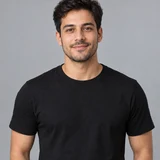

The clip is silent, so you can lay the trending sound over it in TikTok or Reels. Finished videos land in My videos.
0/2 photos added
Video model: Seedance 2.0. AI-generated.
Rumpelstiltskin AI questions
Ready for your Rumpelstiltskin video?
Two photos in, one 15-second barn video out. Packs start at $6.99, credits never expire, and you only spend them when you press generate.
Make my video